
IT service desks on Freshservice handling shared mailbox and calendar requests every week.
Mailbox and calendar permissions, applied automatically from Freshservice
Grant and remove Microsoft 365 mailbox and calendar access straight from service requests. No PowerShell, no Exchange admin center, no admin rights for your agents.
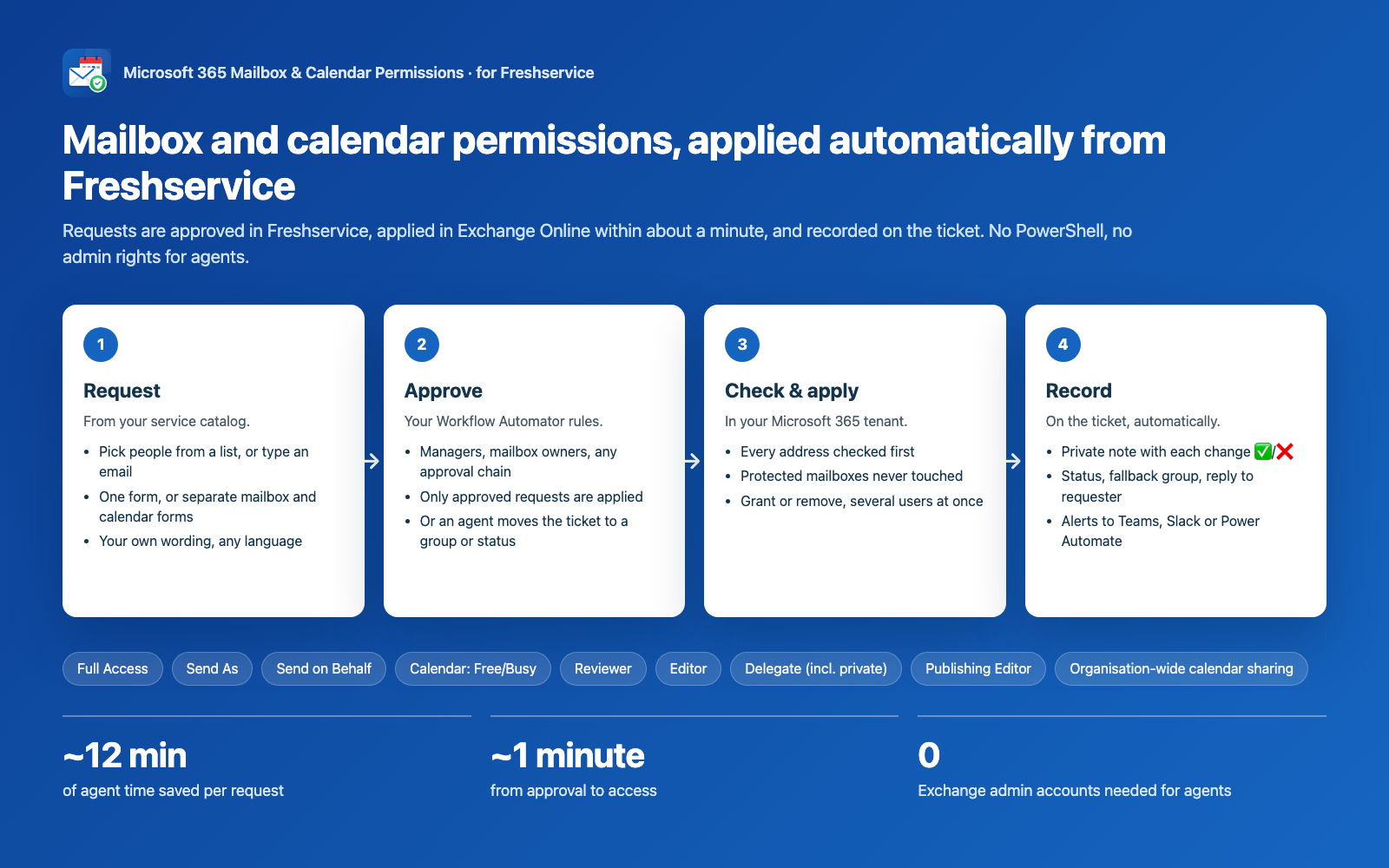
~12 min
of agent time saved per request
~1 minute
from approval to access
0
Exchange admin accounts needed for agents
Who it's for
Teams that want approvals and an audit trail, without giving agents Exchange admin rights.
MSPs and multi-company IT: each Freshservice account connects to its own Microsoft 365 tenant.
Demo
See it in one minute
How it works
From request to access in four steps
1. Request
- From your service catalog
- Pick people from a list or type an email
- One form or separate mailbox and calendar forms
- Your own wording, any language
2. Approve
- Your Workflow Automator rules
- Only approved requests are applied
- Or an agent moves the ticket to a chosen group or status
3. Check & apply
- Every address checked in Microsoft 365 first
- Protected mailboxes never touched
- Grant or remove, several users at once
4. Record
- Private note on the ticket with each change ✅/❌
- Status, fallback group and optional reply to the requester
- Alerts to Teams, Slack or Power Automate
Before you start
- Freshservice with the Service Catalog and Workflow Automator (Web Request step).
- Microsoft 365 with Exchange Online (cloud mailboxes; on-premises Exchange isn't supported).
- A Microsoft 365 Global Administrator for the one-time Entra setup (about 10 minutes).
- A Freshservice agent API key for an agent who can edit the relevant tickets.
- About 30 minutes for the full setup.
Coverage
Supported permissions
- Full Access
- Send As
- Send on Behalf
- Calendar: Free/Busy
- Limited details
- Reviewer
- Editor
- Author
- Publishing Editor
- Contributor
- Owner
- Delegate
- Delegate (incl. private items)
- Organisation-wide calendar sharing
Features
Built for real service desks
Fits your process
Any field names, separate items for mailbox and calendar, your own dropdown wording, user pickers or email text fields (recognised automatically).
Safe by design
Approval required, Microsoft 365 address checks with “Did you mean…” suggestions, protected mailboxes (even via aliases), blocks guests/contacts/outside addresses, change limits, dry run.
Always know what happened
Private ticket note, recent runs, health banner, optional “M365 result” ticket field.
Monitoring & alerts
Microsoft Teams, Slack or Power Automate alerts, recovery notices, daily health check, reminders 30/14/7/1 days before your secret or certificate expires.
Works with your Microsoft 365
Your own Entra app registration (client secret or certificate), Global, US Government (GCC High, DoD) and China (21Vianet) clouds, non-English mailboxes.
Secure
Credentials stored encrypted and never shown again, no data sent to the publisher, HTTPS only.
Screenshots
Take a look inside
Manual vs automated
| By hand | With the app | |
|---|---|---|
| Agent time per request | ~12 minutes | none for normal requests |
| Time to access | hours to days in the queue | ~1 minute after approval |
| Exchange admin rights for agents | needed | not needed |
| Typos and wrong mailboxes | caught later, if at all | blocked before anything changes |
| Audit trail | whatever someone writes | automatic note on every ticket |
| Removing access for leavers | often forgotten | as easy as granting |
ROI
Why it pays off
Example based on ~12 minutes of manual work per request; assumes ~5% of requests need a quick look.
- Hours saved per month
- 55
- Hours saved per year
- 663
- Yearly saving
- $26,520
Pricing
Simple, flat pricing
Early-adopter price
Account per month
One flat price per Freshservice account
$49 / month
- All features
- Unlimited agents
- Unlimited requests
- Support via the support form
Billed through the Freshworks Marketplace. Prices exclude applicable taxes.
Good to know
- Changes can take up to an hour to show in Outlook (a Microsoft limitation); the ticket note says so.
- Exchange Online only; on-premises mailboxes aren't supported.
- Access is given to people (or mail-enabled security groups), not to shared mailboxes or distribution groups.
- Up to 10 changes per request by default (configurable); larger requests are best split.
- Wide-reaching permissions (calendar Owner, organisation-wide sharing) are off until an admin turns them on.
Security & your data
- Your data stays in your Freshservice account and your Microsoft 365 tenant; nothing is sent to us.
- Credentials are encrypted Freshworks secure settings, never shown again; all traffic uses HTTPS.
- Least privilege: Exchange.ManageAsApp + Exchange Recipient Administrator; no permission to read email content.
Stop doing mailbox permissions by hand
Questions? Get in touch via our support form